

Laptops are now essential for our daily work. However, using them incorrectly causes physical pain.
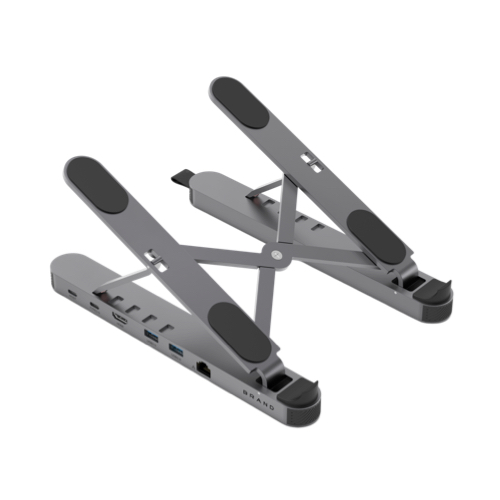
Key Benefits of Using a Laptop Stand
1. Improved Ergonomics and Posture. First, ergonomic stands offer adjustable angles.
2. Space and Visual Optimization. Secondly, a stand creates a better viewing angle. In addition, it lifts the device off the desk. This action saves valuable space for other items.
3. Enhanced Heat Dissipation. Thirdly, most stands feature an open, suspended design. As a result, air flows more freely underneath. This airflow helps cool the internal components effectively. While not magic, it certainly assists daily cooling.
4. Protection Against Spills. Moreover, a stand acts as a safety shield.
5. Portability and Convenience. Finally, modern stands are compact and foldable.
Important Usage Tips
To ensure the best experience, please consider these points:
Ensure Stability: Always place the stand on a flat surface. Otherwise, the laptop might slide or scratch.
Use External Peripherals: Raising the laptop moves the built-in keyboard. Therefore, we recommend using an external keyboard and mouse.
Avoid Overheating Extremes: Remember, stands only assist with natural cooling. They cannot stop a laptop from overheating in direct sunlight.
Why Not Just Use a Bottle Cap?
Some people use bottle caps to tilt their laptops. While cheap, this method lacks stability and beauty. In contrast, a professional stand offers adjustable heights. Furthermore, it looks professional and moves easily.
Final Thoughts
Is a laptop stand necessary?
At WorldPass, we believe it is a vital tool. It prevents cervical pain and improves your posture.

